
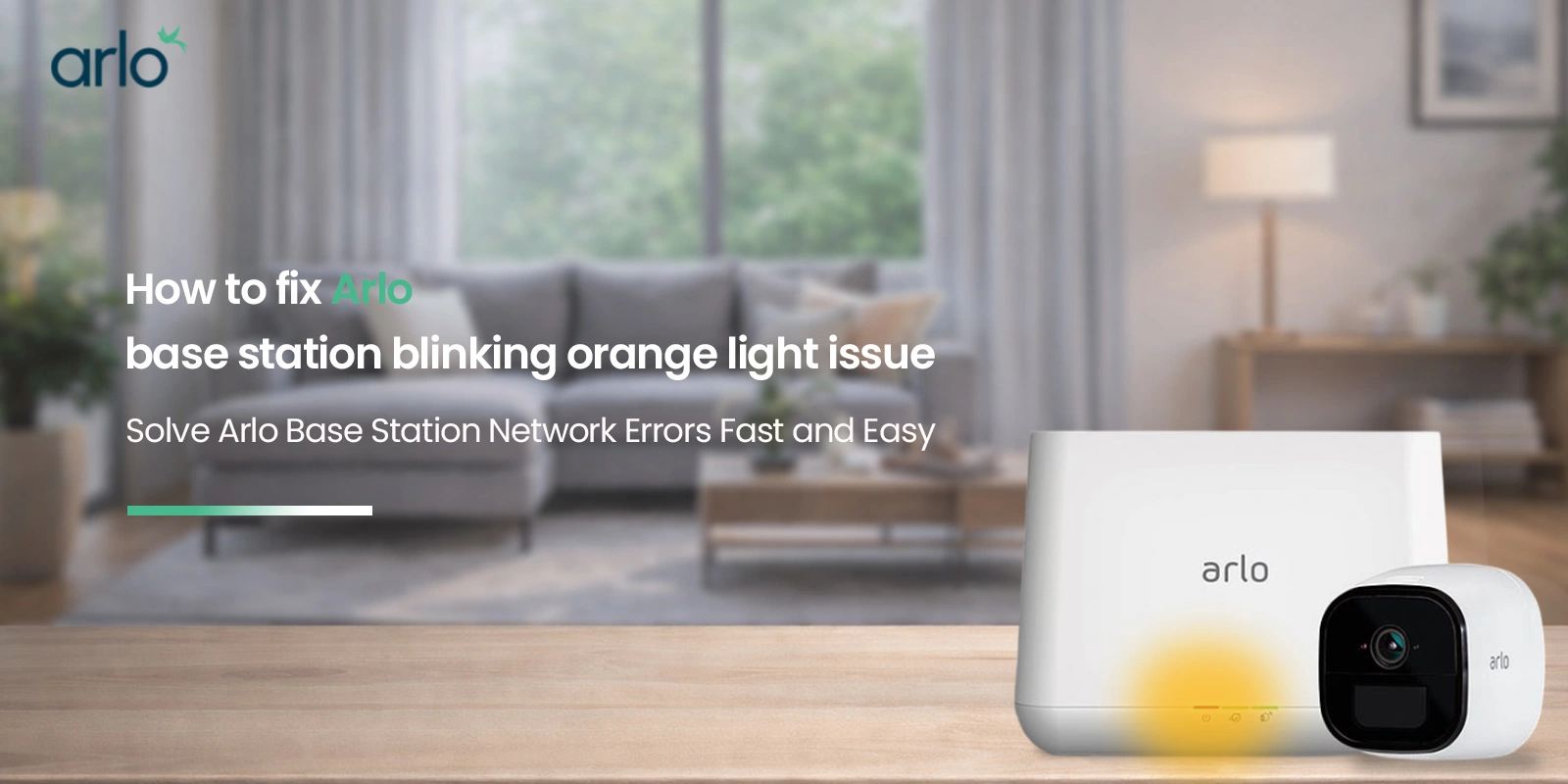
Arlo security cameras can be your best bet when you are looking to secure your homes. You can install one of these cameras in your home and connect them to the base station. This base station when connected to the wireless network allows you to have seamless surveillance capabilities. The functional status of the base station is indicated using its LEDs. The LED status and the color indicates a lot about the current working status of the base station and the connected cameras. While a rapid blue light means the camera is connected, an orange-colored LED indication might be a sign of an issue. If you are seeing arlo base station orange light blinking all of a sudden, learning how to fix arlo base station blinking orange light issue will be of help. This blog will walk you through the information about what orange light means and how to remove the same.
What does orange light mean on arlo base station?
Different models of Arlo cameras indicate their working status through different LED colors and light patterns. Similar is the case with the base station that you use. Below is more information on the LED light on your base station and what different colors of the LED mean:
| LED-Color (Behaviour) | Indication |
| Blue (Solid) | Internet Connection is fine. |
| Blue (Slow Blinking) | Device Ready to pair with the camera/ Device connecting to the camera. |
| Blue (Fast Blinking) | Connection to the Arlo camera is successful. |
| Amber/Orange (Solid) | Error during the connection process. |
| Amber/Orange (Slow Blinking) | Camera is out of range/ Connection not found. |
| Blue-Amber/Orange (Alternating) | Firmware Update is in Process/ Device Reset is ongoing. |
| No light | No power source connected to the BaseStation. |
Multi-LED Base Stations
| LED | Colour(Behaviour) | Indication |
| Power | Green | Base Station is on and is functioning well. |
| Green(Blinking) | Firmware update is in process. Do not turn off the camera/base station. | |
| Amber/Orange | The Base Station is booting up. | |
| No Light | The Base Station is powered off. | |
| Internet | Green | Base Station is connected to the internet. |
| Green(Blinking) | The device is sharing information over the network. | |
| Amber/Orange | No internet connection can be detected. | |
| No Light | Base Station not connected to your wireless router. | |
| Camera | Green | The Arlo Camera is connected and functioning. |
| Green(Blinking) | Device is attempting to sync with the camera. | |
| Amber/Orange | Camera is too far from the Base Station/ The signal strength is weak. | |
| No Light | No Arlo camera connection can be detected. |
Why does my arlo base station blinking orange?
As mentioned and clear from the table above, your arlo base station blinking orange means that either it is an internet connectivity problem or the cameras you have paired with it are installed far away and they cannot reach the base station. So the next time you wonder “why is my arlo base station flashing orange”, make sure to inspect these areas.
There may be several other reasons as well on Arlo base station blinking orange light. However, slow internet connection and improper settings are the most common ones.
It is possible that the network connection you have is weak. Poor connectivity to the base station may show up as a connectivity error and might make the base station show an offline status. On the other hand, if you haven’t configured your Base Station settings properly, you’ll again find issues connecting to the internet. The result? Arlo base station orange light blinking!
Troubleshooting Arlo base station orange internet light Issues
Below is some more information on how to take on the troubleshooting process:
Check the Ethernet cable connections
If you see Arlo base station orange light, you can unplug the ethernet cable that’s connected to your devices and inspect the entire length for any damage. If you find something, replace the same with a new cable to see if it helps restore the internet connection. When connecting a new cable, ensure that it sits securely in its ports on the Base station and the router. The Internet LED on your Base Station will glow green once the connection is successful.
Inspect the power connections
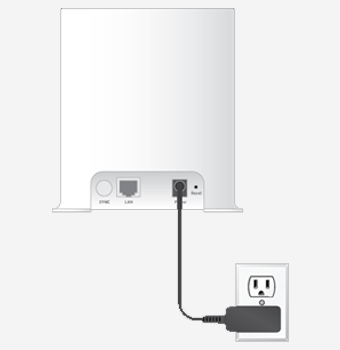
If you still find your Arlo base station orange light not working at all, you can unplug the power adapter and inspect the entire length of the power cord for any signs of damage or wear and tear. Ensure that it is not torn from somewhere and the inlet port is safe. You can replace the power adapter with a new one if the need be.
Once you go back reconnecting the adapter, ensure that it is connected securely to the back of your base station. If doing so doesn’t help with Arlo base station orange light reset, you can connect the power cable to a different power outlet at your home. If you still don’t see a light on your Base Station, you can reach out to our team for advanced troubleshooting.
Check if the ethernet cable works with other devices
Try to connect to the internet from a different device like a computer that is connected directly to the wifi router using an ethernet cable. If the internet connection is not working on this computer as well, you’ll need to follow the router troubleshooting steps.
Power cycle the Base Station/SmartHub
You can power cycle your Arlo Base Station to see if that helps resolve the Arlo base station orange light blinking issue. Here are some steps you can follow:
- Plug in your ethernet cable and the power cable into the Base Station.
- Unplug the same from the wall outlet and wait for about 30 seconds. Reconnect it to the outlet now and allow the Base Station to boot up.
Disable VPN
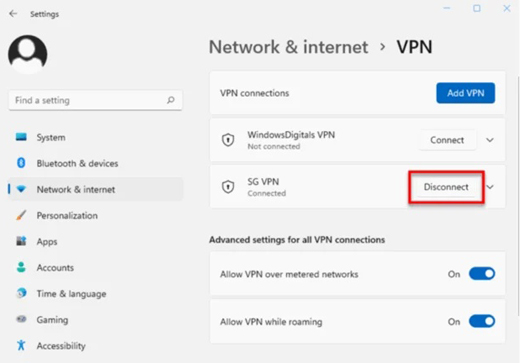
If you use router-embedded VPN to connect to the internet, it might cause issues with the way your Base Station works. If you face issues related to your device, try disabling the VPN on your router and try again.
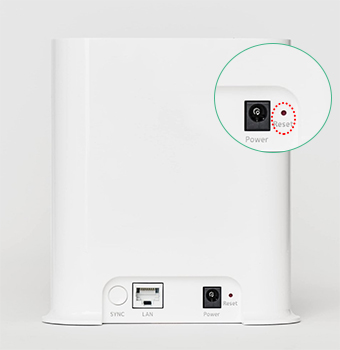
Factory RESET your Base Station/SmartHub
Performing a factory reset of your Base Station will erase all the settings and remove all devices that you have connected to it. Once reset, you can reconfigure your Base Station to work with the home router. Here are some steps you can follow:
- Use a thin object like a pin or a paperclip to press and hold the RESET button on the back of your Base Station device for about 10 seconds.
- Release the RESET button after 10 seconds.
- Once the reset process is over, the LED on the front of the Base Station will flash amber. Once it stops flashing, the Base Station will reboot itself.
Allow the Base Station to reboot and come to a stable working state. You can then re-add the same to the Arlo account using the my.arlo.com web setup page or using the Arlo smartphone app. Doing so will help eliminate the Arlo base station blinking orange light issue once and for all.
Need more help fixing arlo base station orange light?
Get in touch with the support team at our end now!